
Product
Maintenance tracking
Service history for most cars is a glovebox of receipts, a spreadsheet that stopped being updated, and a mechanic’s memory. When the car changes hands or a warranty claim needs proof, the record is the first thing missing.
Interval tracking fails the same way. Any tracker that invents a schedule for you ends up flagging work as overdue on day one, and once the alerts stop being true, they stop being read.
How BuildBay handles it
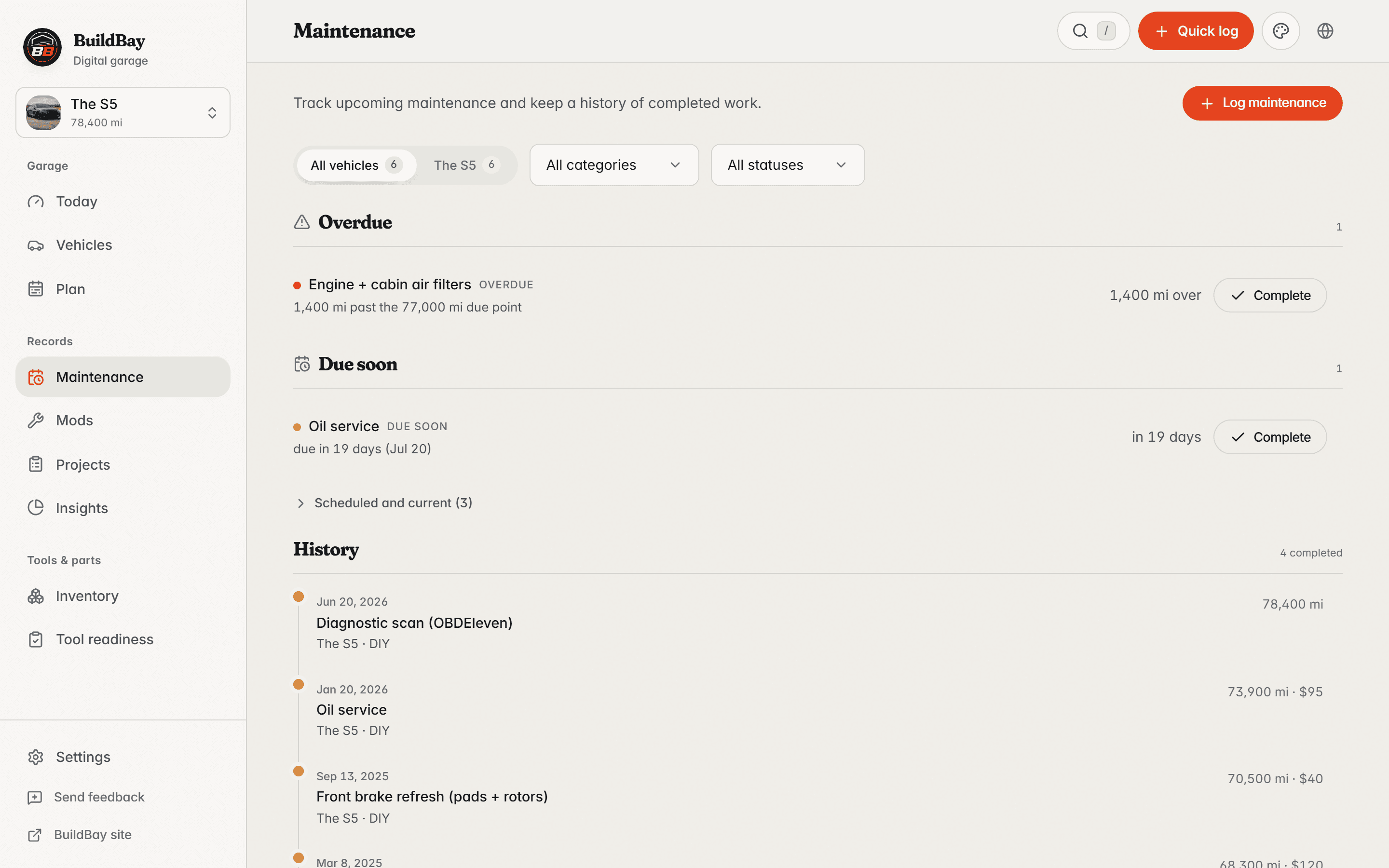
Every maintenance record in BuildBay carries a date and a mileage. Recurring services take an interval in months and miles, and the next due point is whichever arrives first.
Starter schedules are labeled as editable estimates, and they never fabricate an overdue state: work you have not logged is unknown, not late. The Plan view pulls due maintenance, reminders, project dates, and urgent issues into one list.
In detail
- Date and mileage on every record
- A service without a mileage is half a record. BuildBay keeps both on every entry, so intervals run on real numbers.
- Recurrence by months and miles
- Set an interval in months, miles, or both. Whichever threshold arrives first marks the service due, which is how service schedules actually behave.
- Starter schedules stay estimates
- A new vehicle can start from a suggested schedule, but every line is editable and labeled an estimate. Nothing shows as overdue unless your own records say so.
- One plan across the garage
- The Plan view unifies due maintenance, reminders, project dates, and urgent issues, so the week’s work is one list instead of four.
Who it is for
- Owners who do their own service and want the dates and mileage on record.
- Anyone maintaining more than one vehicle on different intervals.
- Sellers who want a service history the next owner can actually read.
Related features
Keep this with the vehicle
BuildBay is in early access. Join the waitlist and add your first vehicle when the door opens.