
A digital garage for your build history.
Track completed work, parts, tools, costs, documents, and future plans for each vehicle. Publish a build page only when you choose.
Private by default · DIY and shop work · No social feed

The deepest catalog detail is available for these platforms
Keep the history with the vehicle.
Each job adds dates, mileage, parts, costs, notes, photos, and receipts. BuildBay keeps that context with the vehicle instead of splitting it across apps and folders.
A factory build sheet records how the car left the line. BuildBay records what has changed since.
What BuildBay keeps track of.
Each record stays with the vehicle, so costs, due work, and project needs remain in context.
Vehicle profiles
Keep specs, current setup, mileage, photos, and status together for each vehicle.
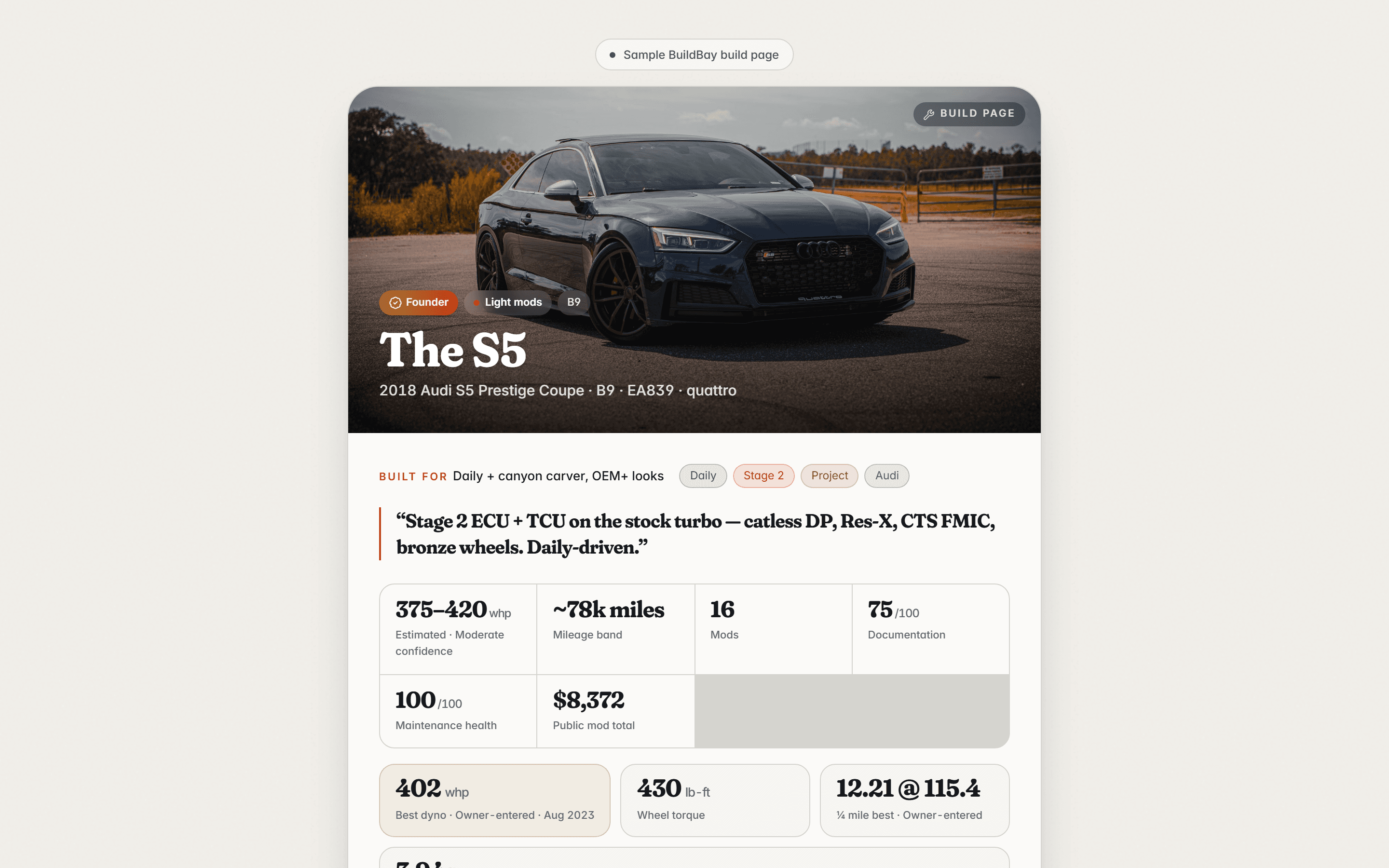
2018 Audi S5 Prestige Coupe · B9 · EA839 · quattro
Mod log
Record the part, brand, cost, install date, mileage, notes, photos, and receipt for each mod.
Maintenance history
Record completed work and costs, then track what is due by date or mileage.
Tool inventory
Mark the tools you own, compare them with job requirements, and add missing items to the shopping list.
Rear main seal job: 7 of 9 tools on hand
Logged costs
Review spending on mods, maintenance, labor, and tools by vehicle and category.
Build plan
Order planned mods and supporting work by dependency and status.
Build page
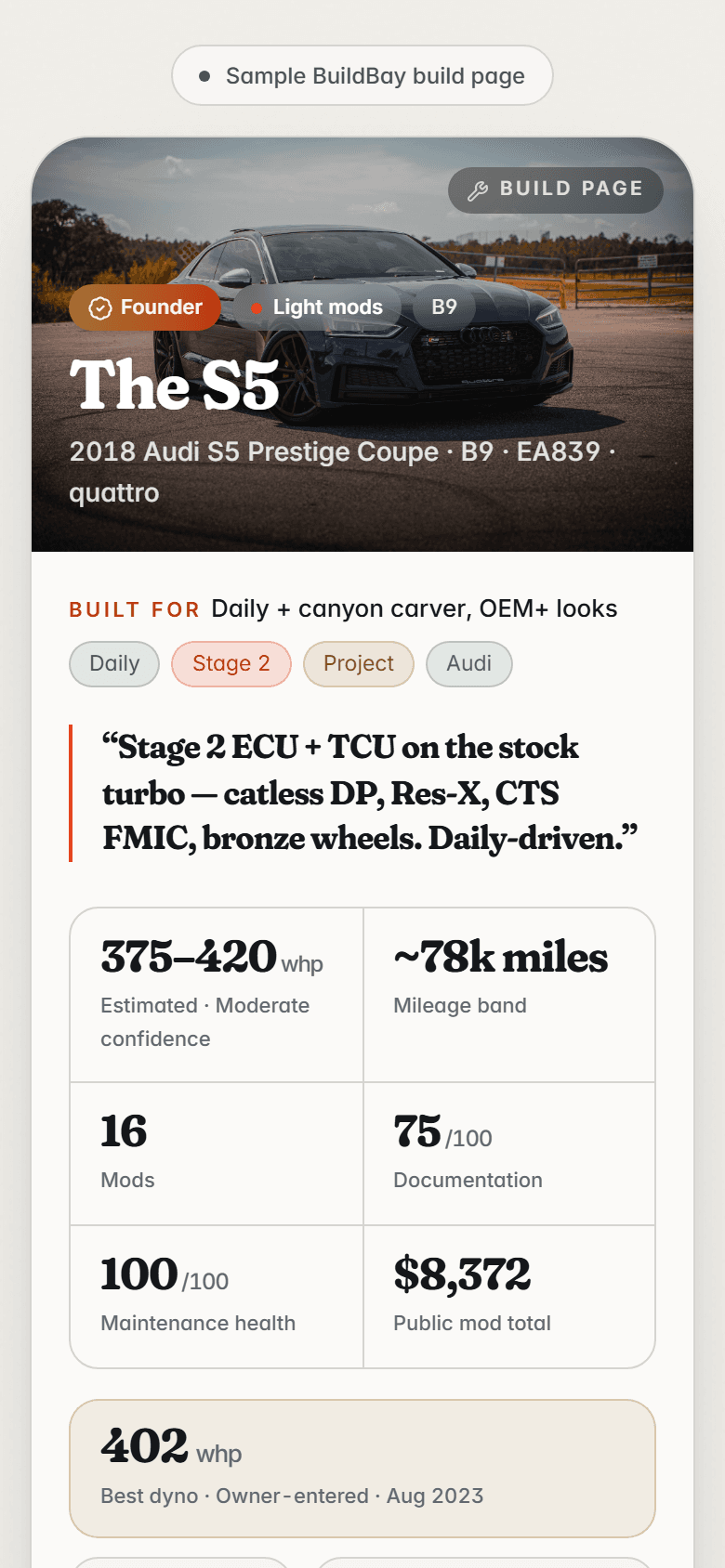
Publish a selected view of the vehicle, public mods, milestones, and photos. VIN, plate, exact mileage, receipts, and private notes are excluded; a rounded mod total is optional.
Receipts and documents
Attach invoices, receipts, and photos to the maintenance record, mod, part, or project they document.
Visual build view
See where the car has changed at a glance: a visual overview of modified areas, planned upgrades, and completed work. In development for BuildBay Pro.

Start with a vehicle. Add records as work happens.
Begin with the current setup, then add older history when you need it.
Add a vehicle
Record the year, make, model, trim, mileage, and current setup. Use a catalog entry or enter the details manually.
Record the work
Add maintenance, mods, parts, tools, photos, and receipts to the vehicle they belong to.
Publish a build page
Choose which supported details appear, then share the page by link or QR code.
Join the waitlist
Enter your email to receive beta updates and invitations.
Beta access will open in stages.
BuildBay will invite owners in small groups while the product is in beta.
Your feedback can help decide what gets built next.
Watch a quick product tour
See a vehicle profile, maintenance record, mod log, and build plan in 15 seconds.
The real product, on a real build.
These are unedited screens from BuildBay, captured on the sample garage: my 2018 Audi S5 and the records behind it. The same example data ships in the app.
01
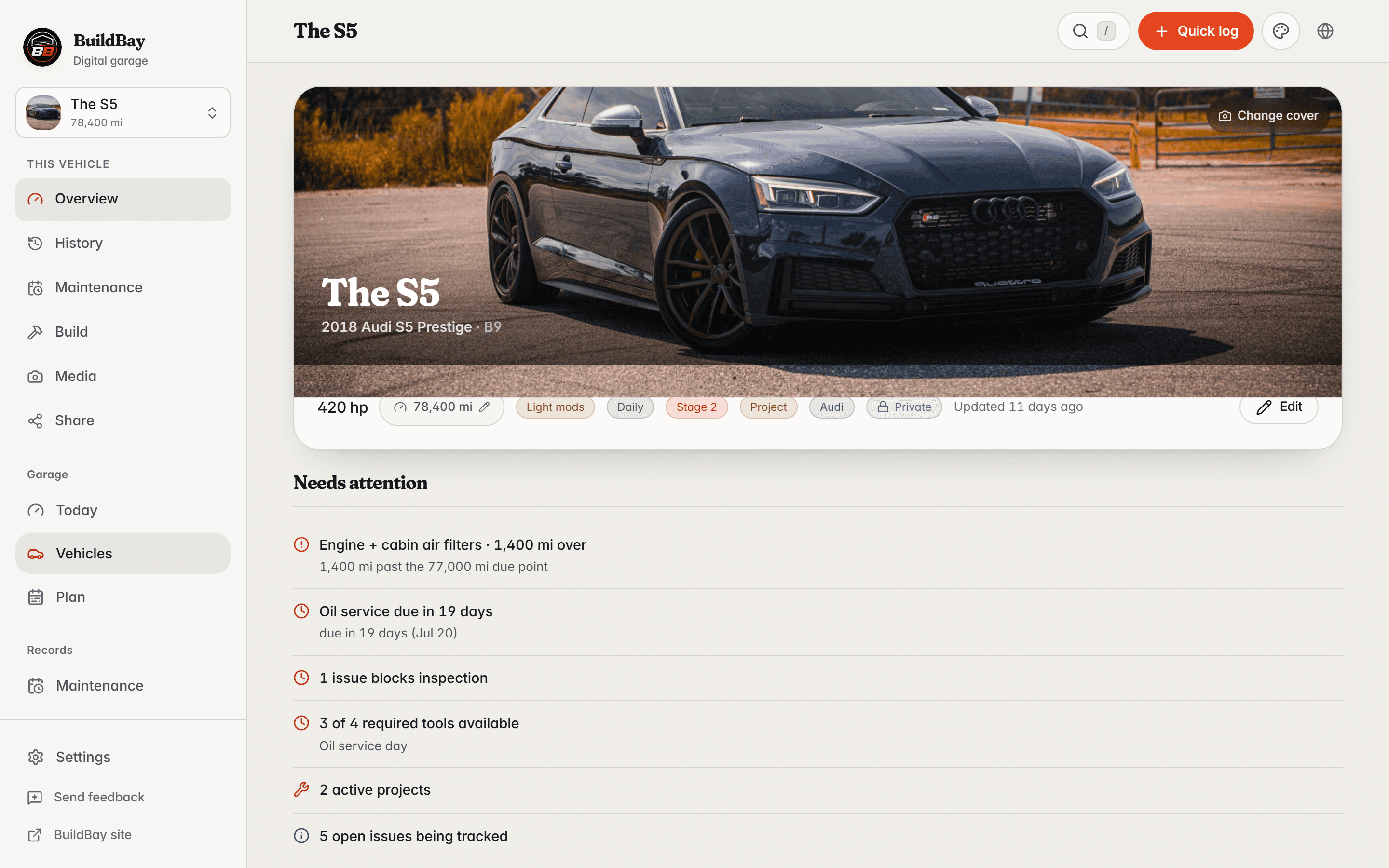
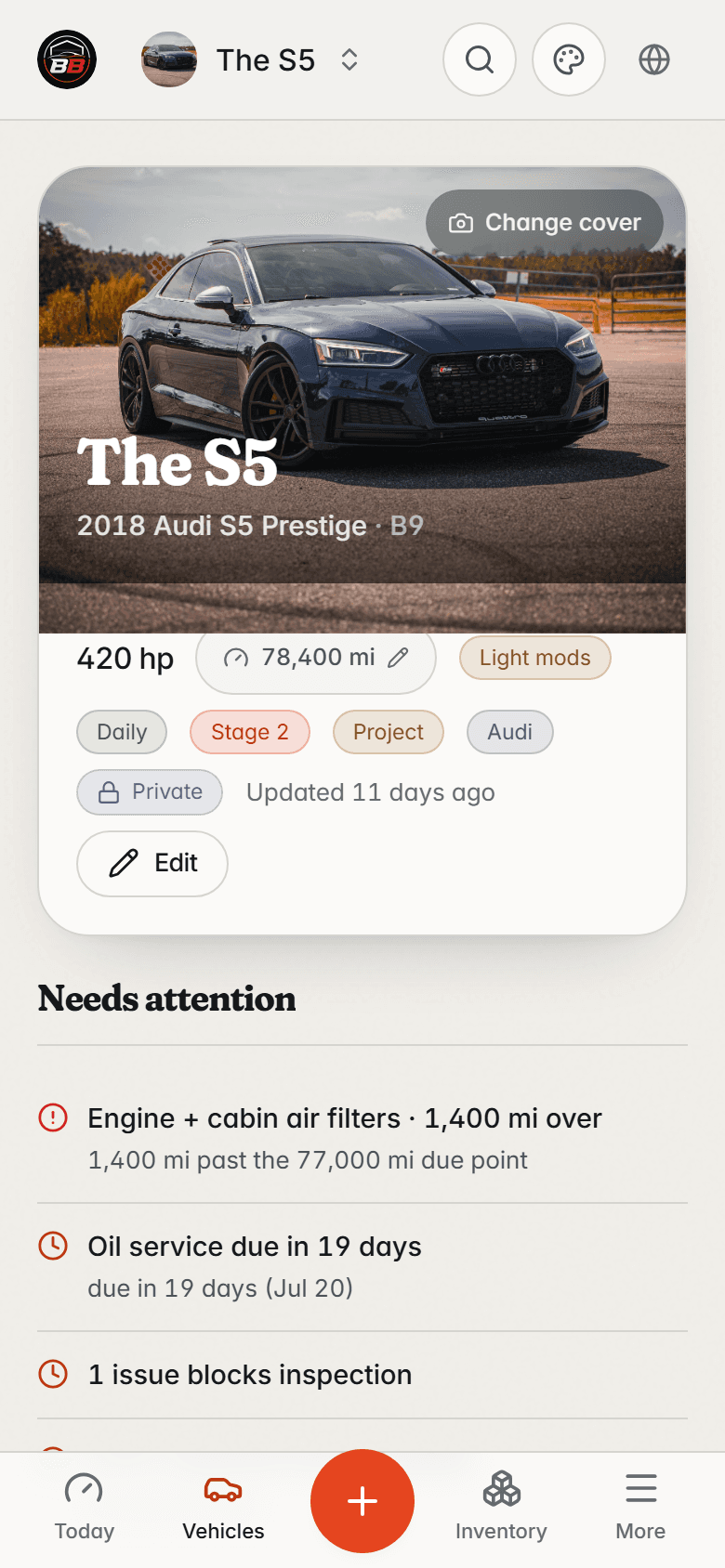
The car at a glance
The S5’s home screen: current setup and mileage up top, what needs attention next, and the latest work underneath.
02
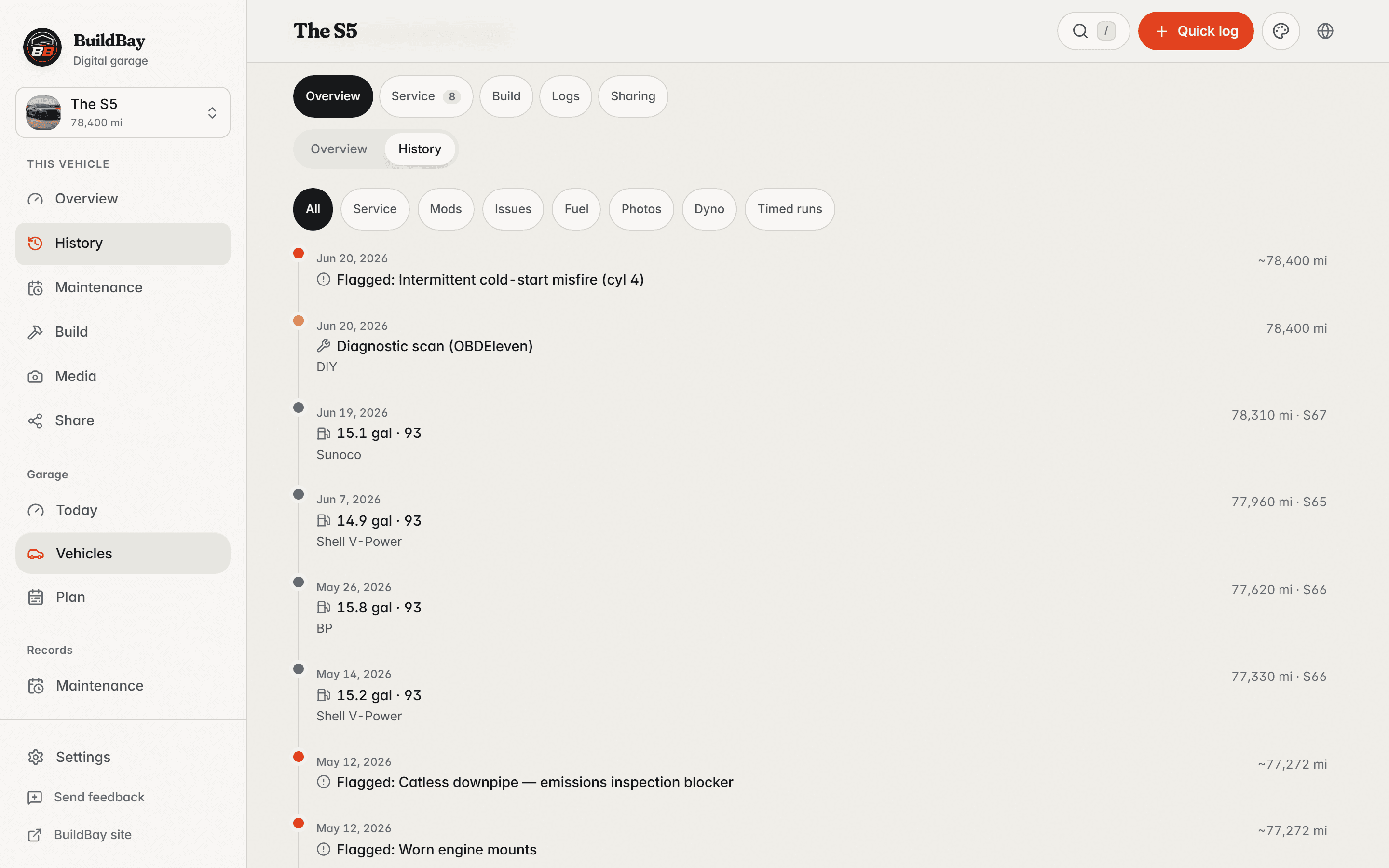
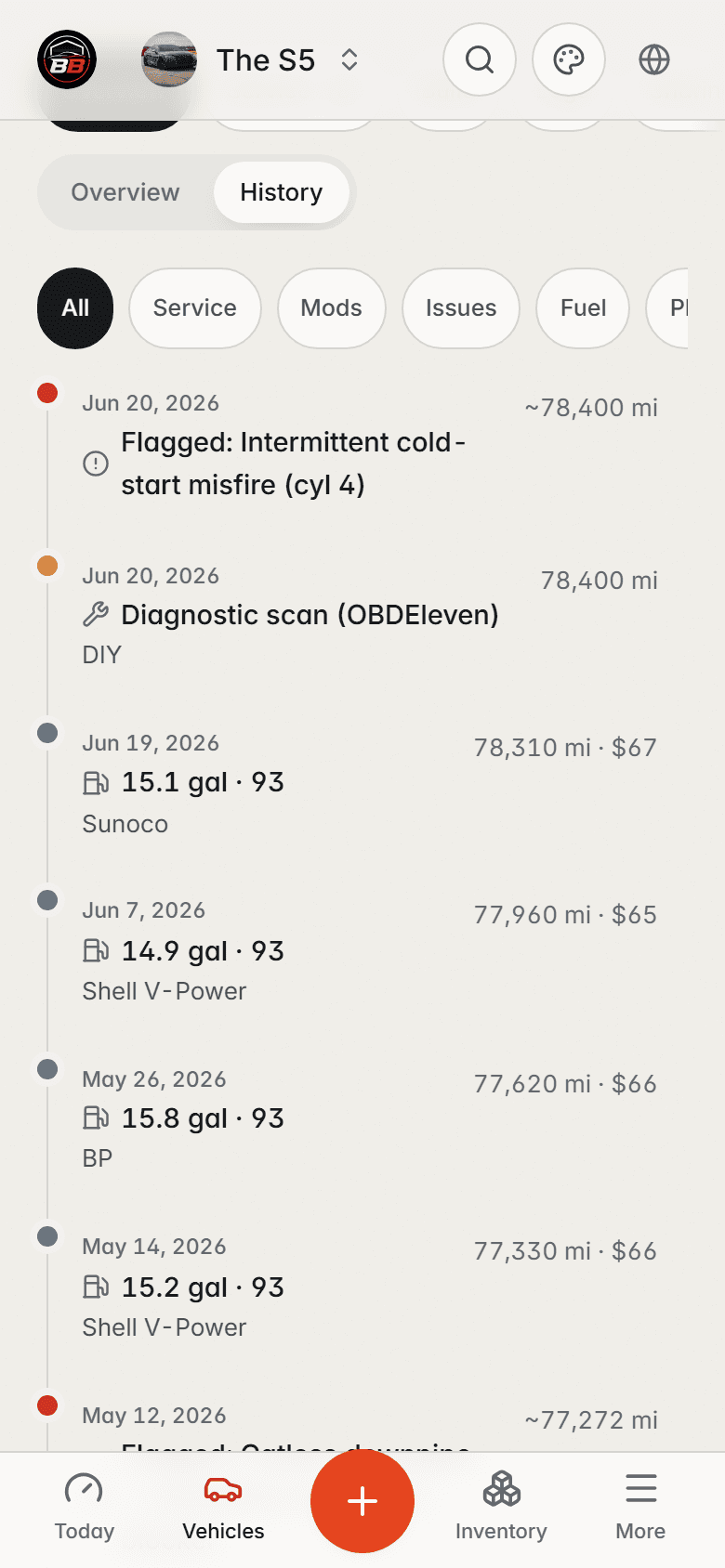
One timeline for everything
Every service, mod, fill-up, and dyno day on one dated timeline, each with the mileage it happened at.
03
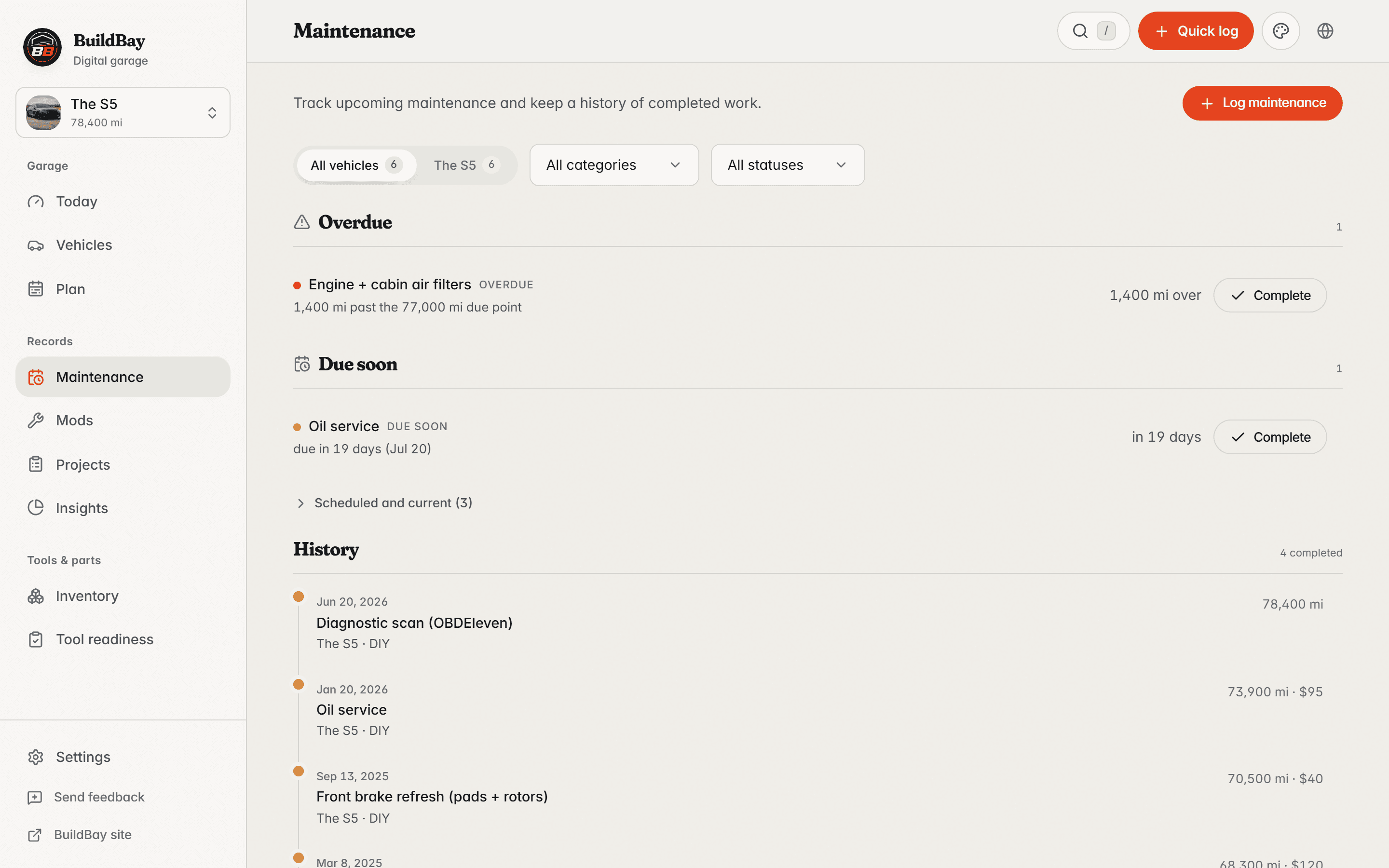
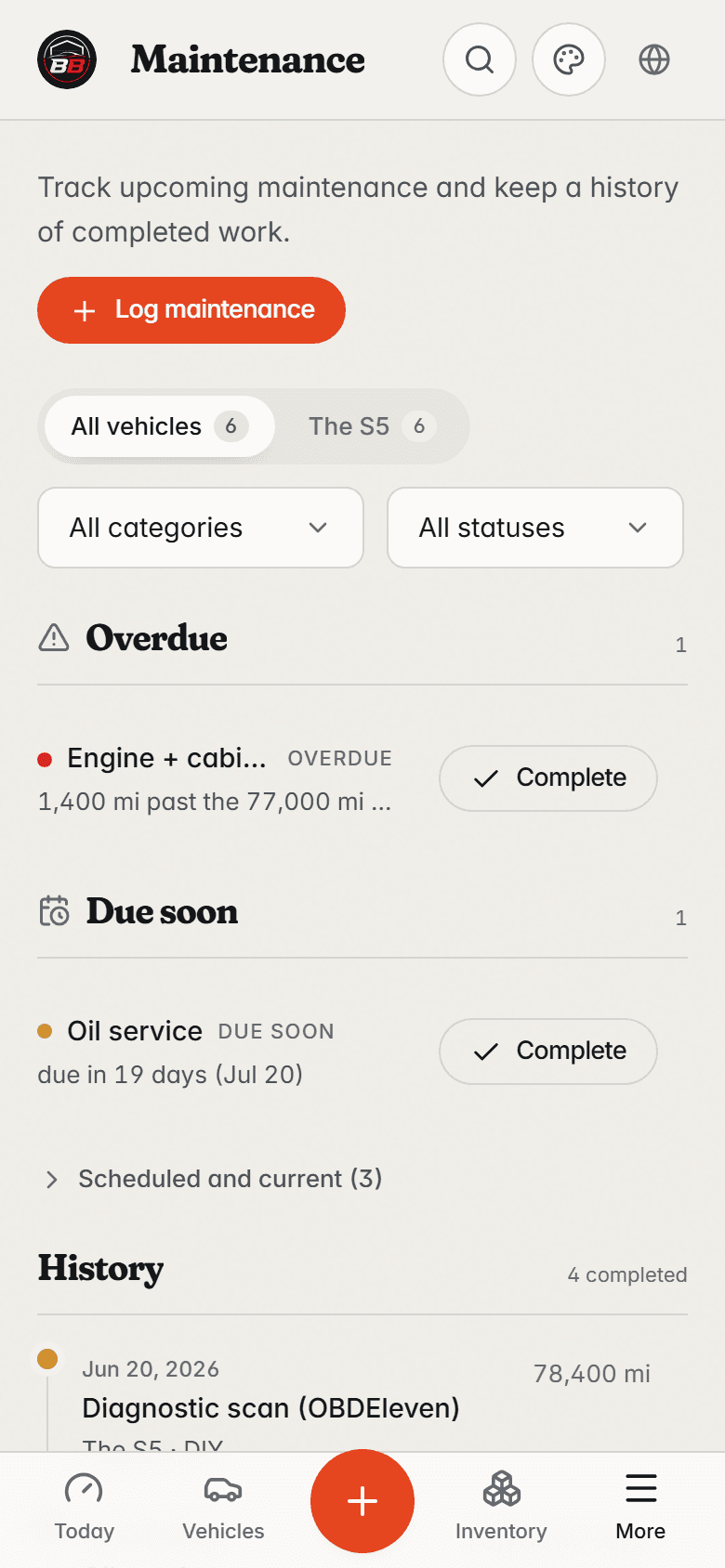
What’s due, and why
Due work first — overdue, then due soon, each with its reason — above the service history. Every completed service opens into its full record: parts, cost, and notes.
04
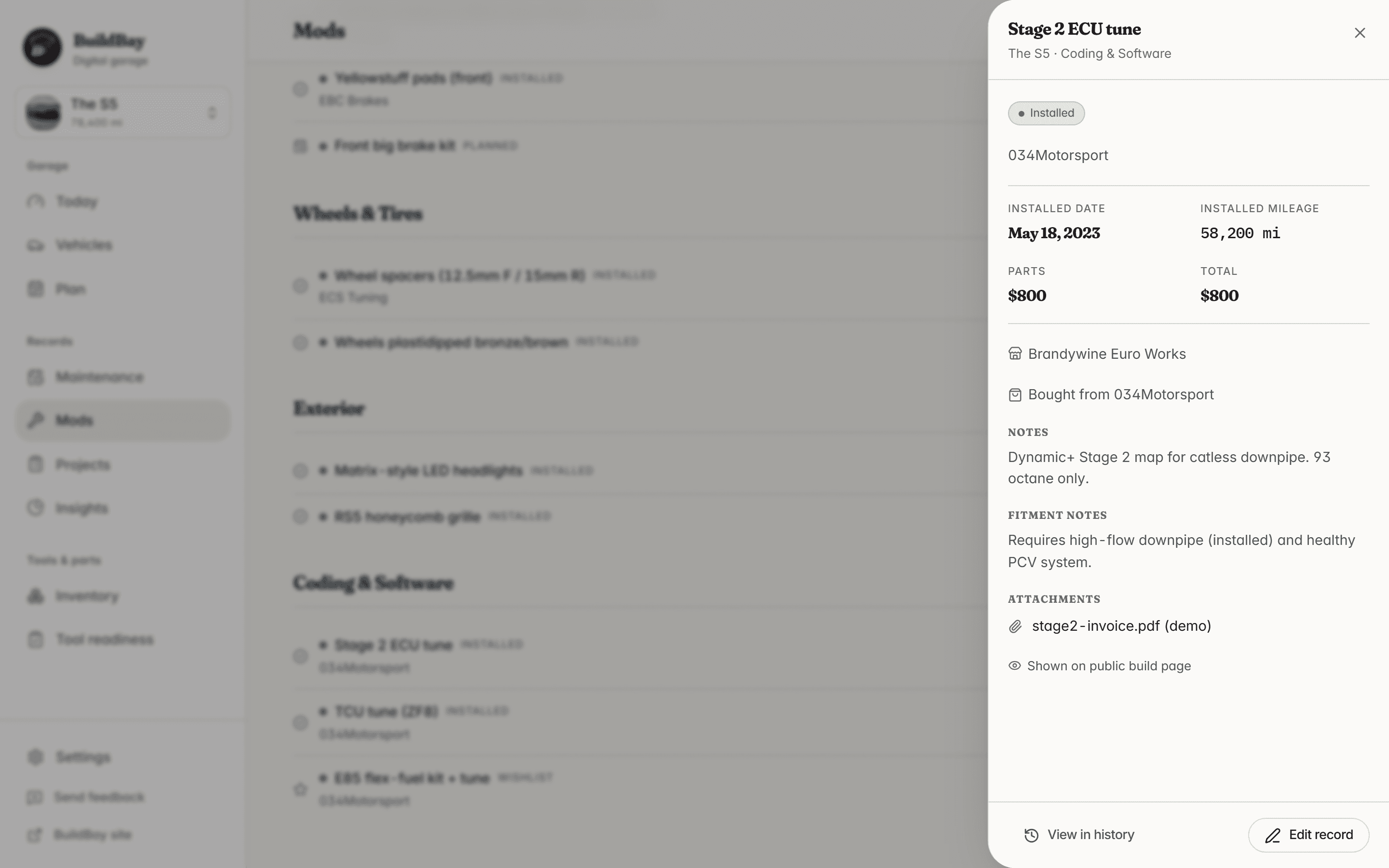
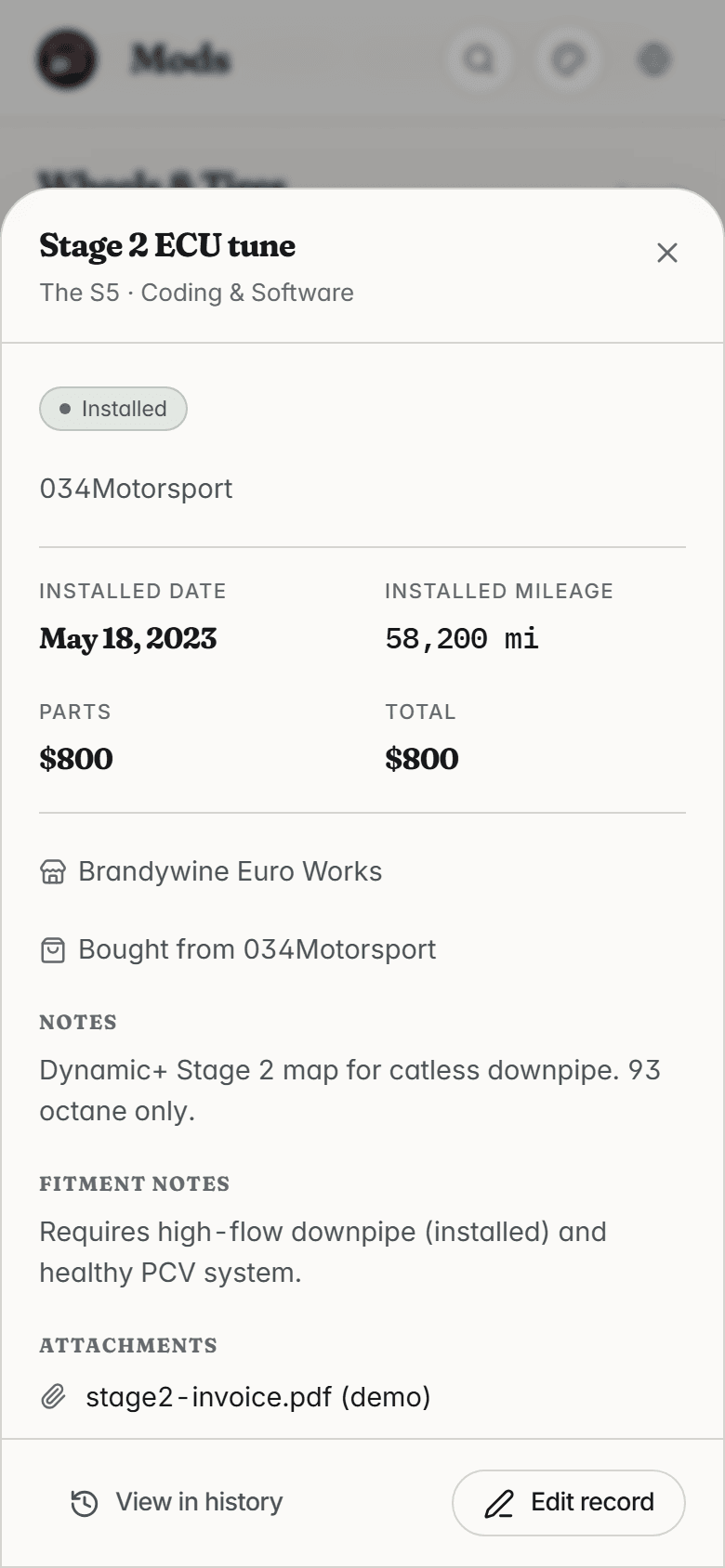
Every mod is a record
One mod, fully documented: the Stage 2 tune with its brand, cost, install date and mileage, and the notes for next time.
Captured with the Stage 2 ECU tune record open.
05
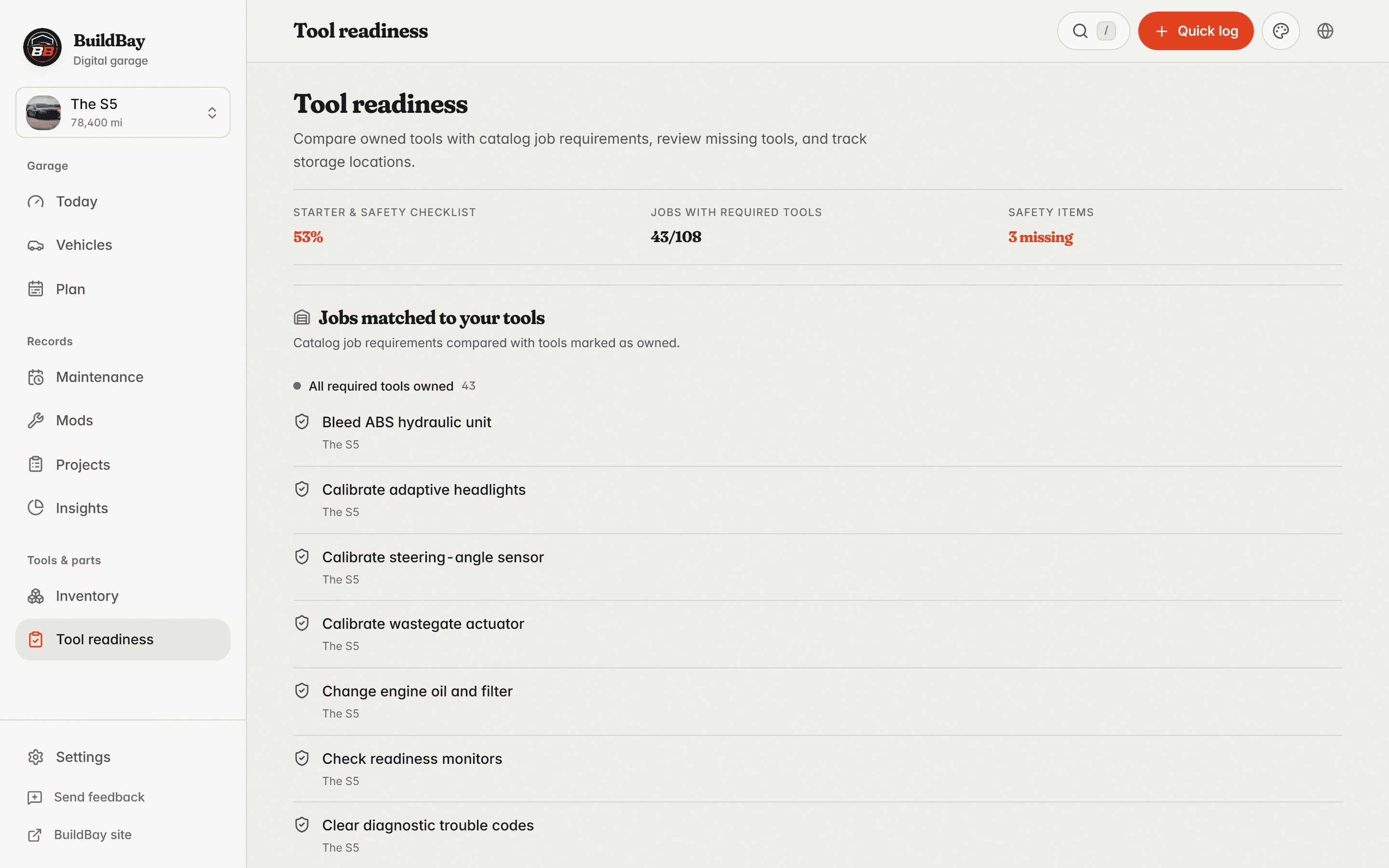
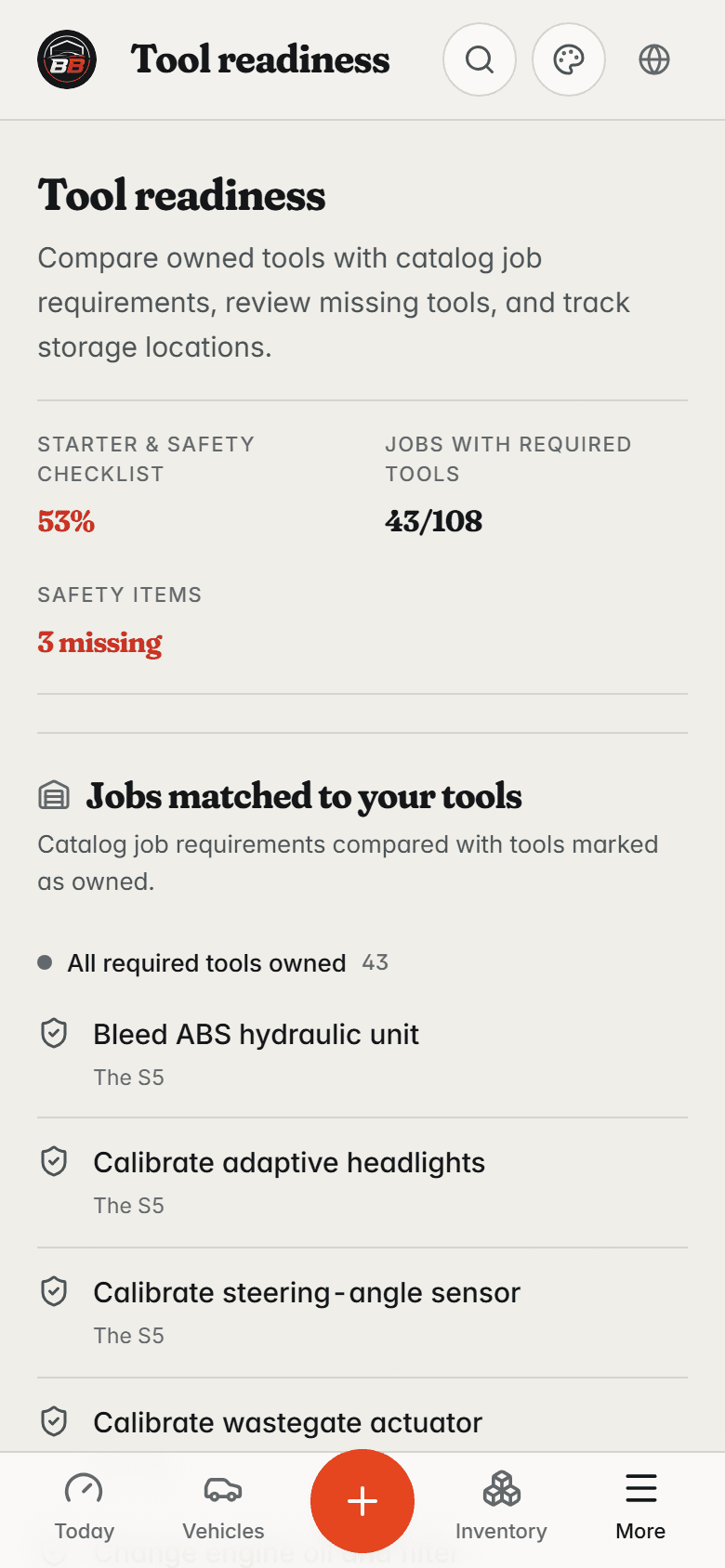
Tools checked before you start
Common jobs checked against the tools on the shelf: what can start today, and exactly which tools are missing for the rest.
06
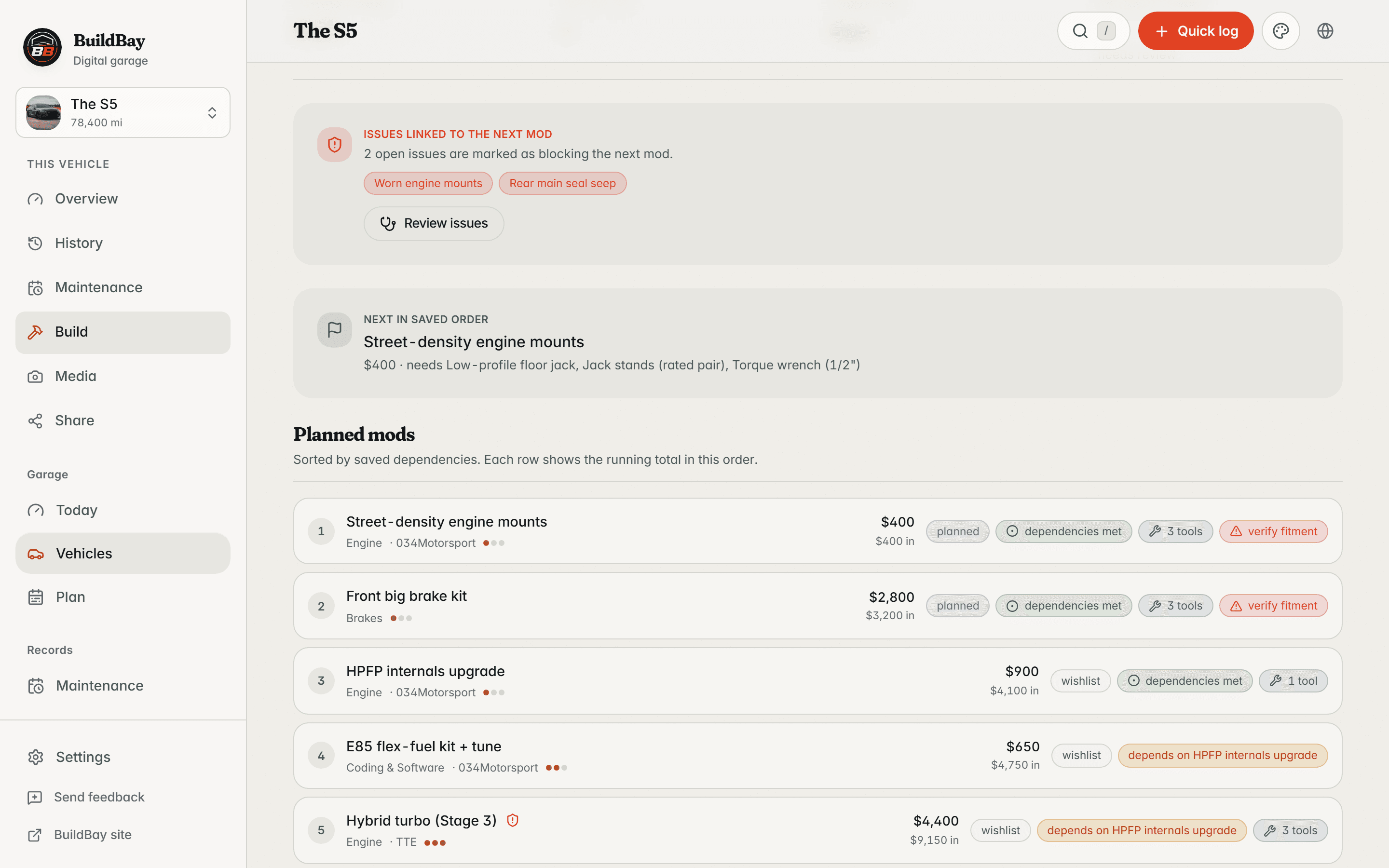
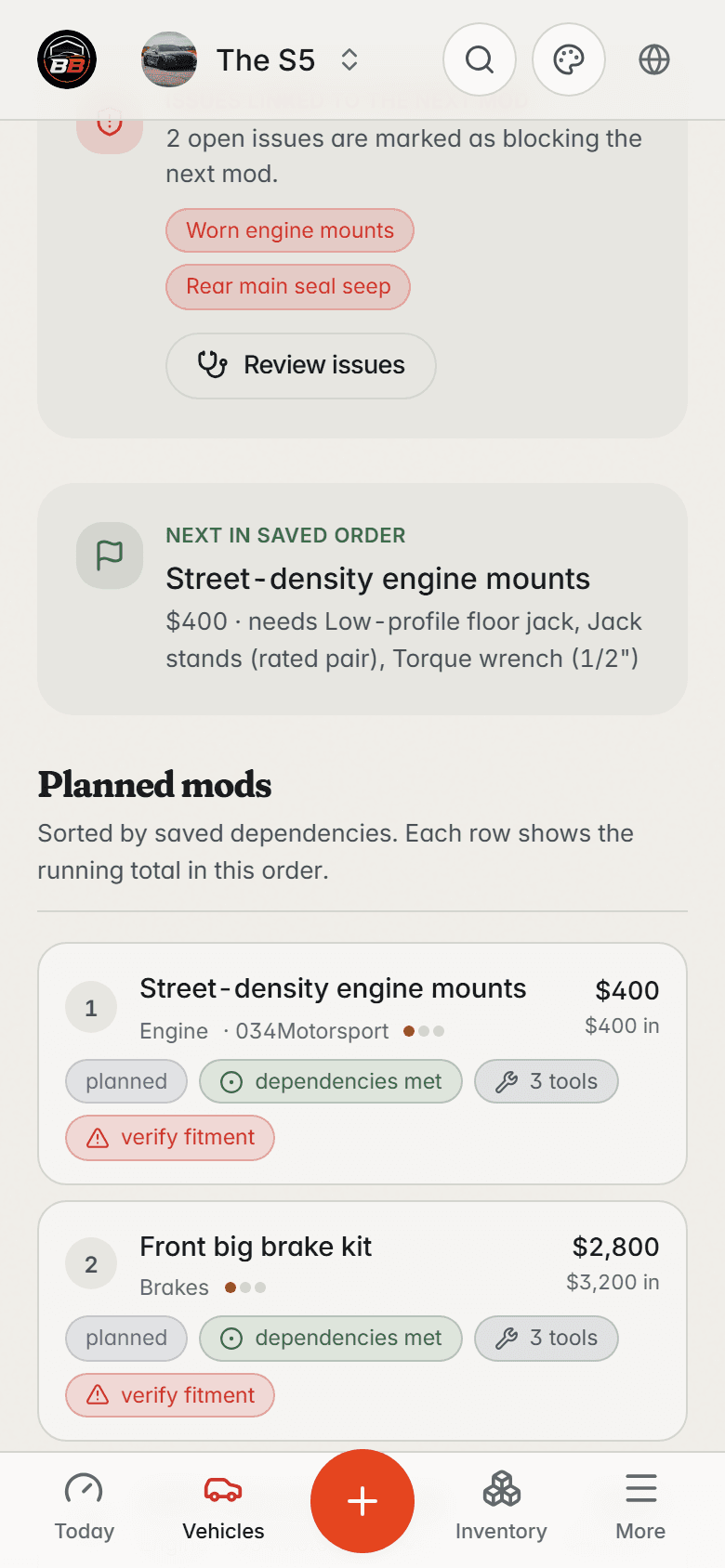
The plan for what’s next
The build plan in order — supporting work before the mods that depend on it, with cost and status for each step.
07
Share only what you choose
The same car’s public build page: installed mods, milestones, and photos only. No VIN, no plate, no receipts, no private notes.
Common uses
Keep the details that matter for each car.
A modified daily, long-term project, track car, and documented sale each use the vehicle history differently.
Keep your own work documented.
Keep specs, part numbers, install notes, and receipts together when you handle the work yourself.
- Parts and install notes available for the next job
- Required tools checked against your inventory
- Maintenance records organized by date and mileage

Replace scattered notes with a vehicle record.
Keep each detail with the vehicle and the work it documents.
Scattered
- Service dates split across notes
- Screenshots buried in the photo library
- Receipts buried in email
- Parts saved as browser bookmarks
- Maintenance intervals kept in memory
- Tool needs remembered at the parts counter
In one place
- Maintenance and mod records in one vehicle profile
- A separate record for each vehicle
- Maintenance history organized by date and mileage
- Reminders by date and by mileage
- Receipts and photos attached to the work
- A build page you can share by link or QR
Private by default.
Yours on purpose.
Your build data lives on your device. No ads, no tracking pixels, no data resale. Cloud sync, when you turn it on, is scoped to your account alone.
Not a social network
No profiles to fill out, no followers to chase, no feed asking you to post. It is a tool, not an audience.
Your records stay yours
Records, receipts, costs, and notes are private by default. Nothing is shared until you decide to share it.
Useful between jobs
Return to the details when you resume work, plan the next job, or review what changed.

Share the build without sharing everything.
Publish a build page with the vehicle details, public mods, milestones, photos, and optional rounded stats you choose to include. Add a QR code for a meet, shop visit, or sale.
- A shareable build page with its own QR code
- Installed mods marked public
- Selected photos and mod milestones
- No VIN, plate, exact mileage, receipts, or private notes
- Useful at meets, shops, and sales
Scan the build
This one is live. It opens a sample build page.
This build lives on BuildBay
Pricing
Free where it counts. Fair where it costs.
Records are never the meter — every log, mod, tool, part, and plan is unlimited on every plan. Paying starts where a garage gets serious: more vehicles, heavy photo and receipt storage, and the deep end of the Performance Lab.
Free garage
For the vehicle you take care of yourself.
Free
No card, no trial clock
The record
- Two vehicles
- Unlimited maintenance, mods, costs, and fuel logs
- Unlimited tools and parts
- Projects, plans, and the parts roadmap
Performance Lab
- Power estimate for the current build
- Three dyno days and ten timed runs
- One draft build scenario
Cloud
- Backup and sync with 2 GB for photos and receipts
- A public build page for each vehicle
- Full export of your records, free forever
BuildBay Pro
For the garage that keeps growing.
$48/yr
$4/mo billed annually
Four months free · or $6 month to month
Everything in the free garage, plus
Scale
- Unlimited vehicles
- 100 GB for photos, receipts, and documents
Performance Lab
- Unlimited dyno days and timed runs
- Build scenarios with side-by-side comparison
- The full progression record, season over season
- Estimates calibrated to your own resultsIn development
Cancel and nothing is deleted — over-limit areas go read-only, and every record stays yours.
Join the waitlistFounder
Launch window onlyBack it early, keep it for good.
About two years of annual Pro, paid once and kept for good — plus a founding-member mark on every build page you publish.
$99 once
Join the waitlistStart free with the vehicle you have. Move up when the garage does.
Plans and prices take effect at launch — while the beta is private, every button above joins the waitlist. Free stays genuinely useful: no card, no trial clock. Founder is a one-time purchase, available only while the founding window is open, with the same fair-use storage as Pro. Prices shown are in USD.
Why it exists
Why I built BuildBay.
BuildBay started with my modified Audi S5 on ramps and its maintenance dates scattered across my phone. I do much of the work myself, from fluids and routine maintenance to the tune and supporting mods.
As the build grew, its records spread across spreadsheets, notes, photos, and forum threads. I wanted one vehicle history that tracked intervals and costs and could produce a clean build page when I decided to share.
BuildBay is the record I wanted for my own garage.
Alex, building BuildBay

The S5 behind the first BuildBay records.
Common questions.

Bring the vehicle history together.
Join the waitlist for BuildBay updates and beta invitations.